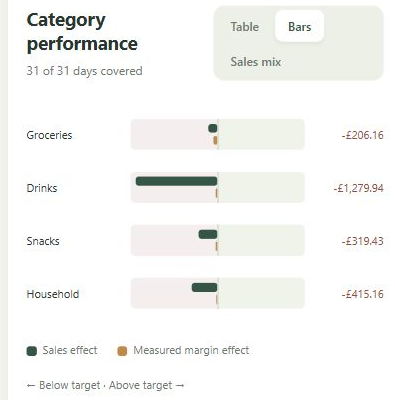
A till report might divide sales into groceries, drinks and household goods. A supplier invoice might simply arrive as one total covering all three. If the two records never meet at category level, it becomes harder to connect what you buy with what each part of the shop sells.
Split the invoice where it helps you manage
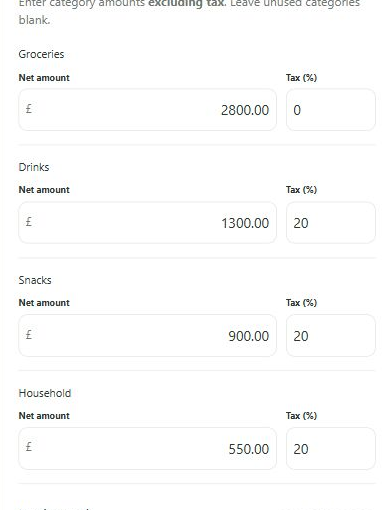
Know My Shop lets you allocate a purchase invoice across your own categories. In an illustrative invoice with £600 of net stock purchases, you might allocate £300 to groceries, £200 to drinks and £100 to household goods. The split describes the stock bought for each category; it is not an allocation of that day's sales.
The aim is a useful, consistent category breakdown. You are not required to build a product catalogue merely to record that purchase. Choose headings broad enough to use reliably, but distinct enough to answer questions that matter to you. A complicated category scheme that nobody can maintain will not improve the figures.
Keep buying, selling and payment distinct
An invoice can add stock before it is paid. A later supplier payment settles money owed; it should not count as another purchase of the same goods. Know My Shop keeps purchase and payment records distinct and provides supplier-balance information from what has been entered.
That information depends on the completeness of your records. It does not automatically confirm the balance against a supplier statement or your bank. Useful references and consistent supplier names make the record easier to follow when you check an invoice, payment or outstanding amount.
Give the extra entry an immediate purpose
Purchase categories support the stock-value view and, with appropriately dated opening and closing stock valuations, a count-adjusted view of category gross profit. That is the management reason for doing the split. Instead of categorising invoices only because someone might need them later, you are building a picture you can use during the year.
The routine still takes work. The app does not read every supplier invoice automatically, decide the right category for you or guarantee that a category margin is correct. Begin with categories that fit both your till report and your buying pattern, then check the first few invoices to see whether the arrangement is practical.
A practical app for the person running the shop.
Keep your existing till. Use your own categories. Build your management picture from familiar daily totals.
See how Know My Shop worksWant a clearer picture of your own shop?
Keep your existing till and explore what category-level management information could do for your business.
Register your interest